Run Analysis and View Results
Compare the Scenario results for any Dwellings in your Project
Run the Project
- Navigate to the Projects page and open the Project you wish to work on.
- Click the "Run" button on the top right.
View Results
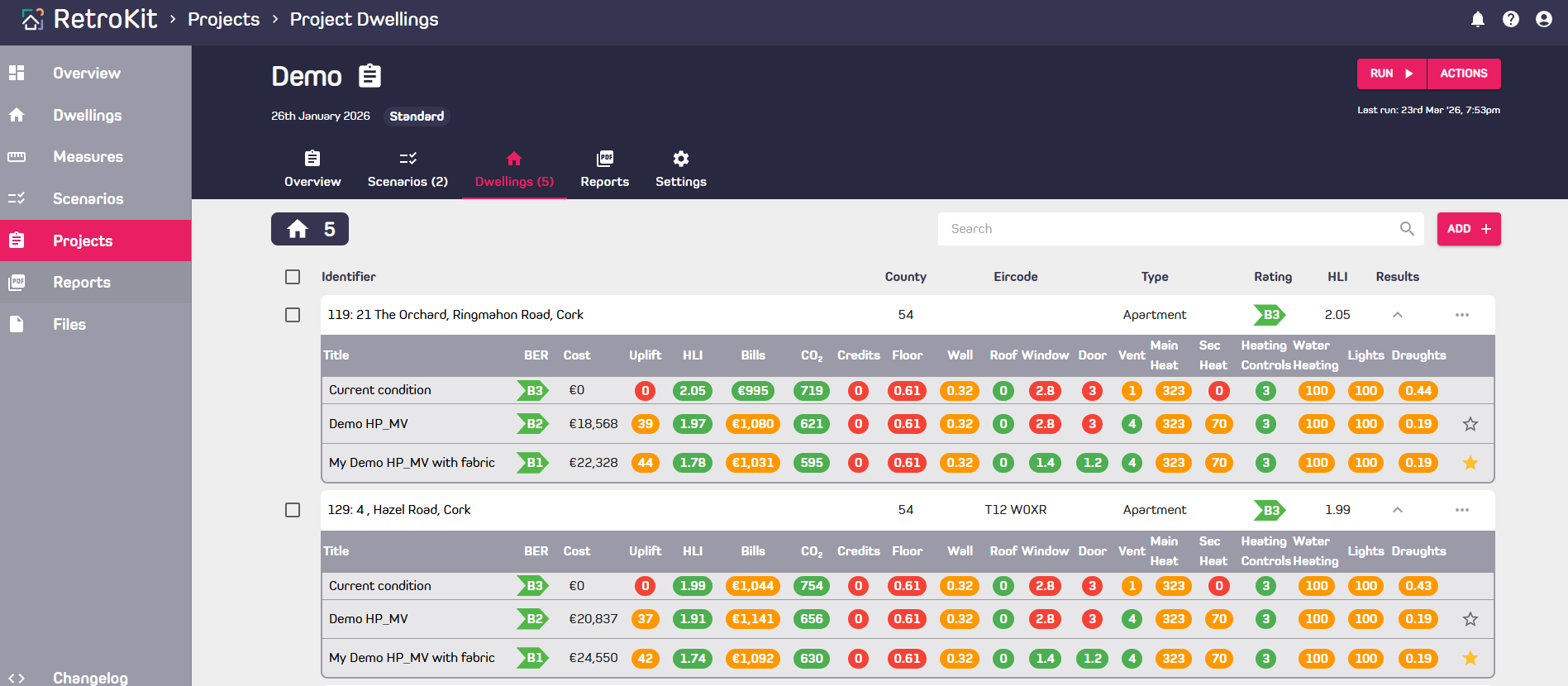
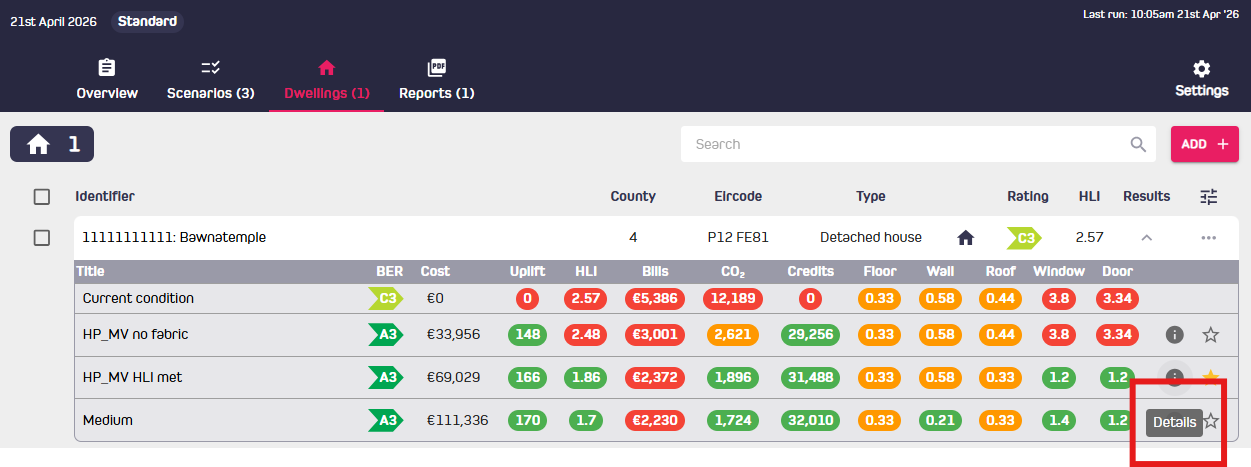
- Results can be viewed by clicking the arrow in the "results" column to expand the row.
- This will show a table comparing the key performance indicators of the current condition versus the Scenarios.
- Results can also be viewed from the Scenarios tab.
Recommended Scenario
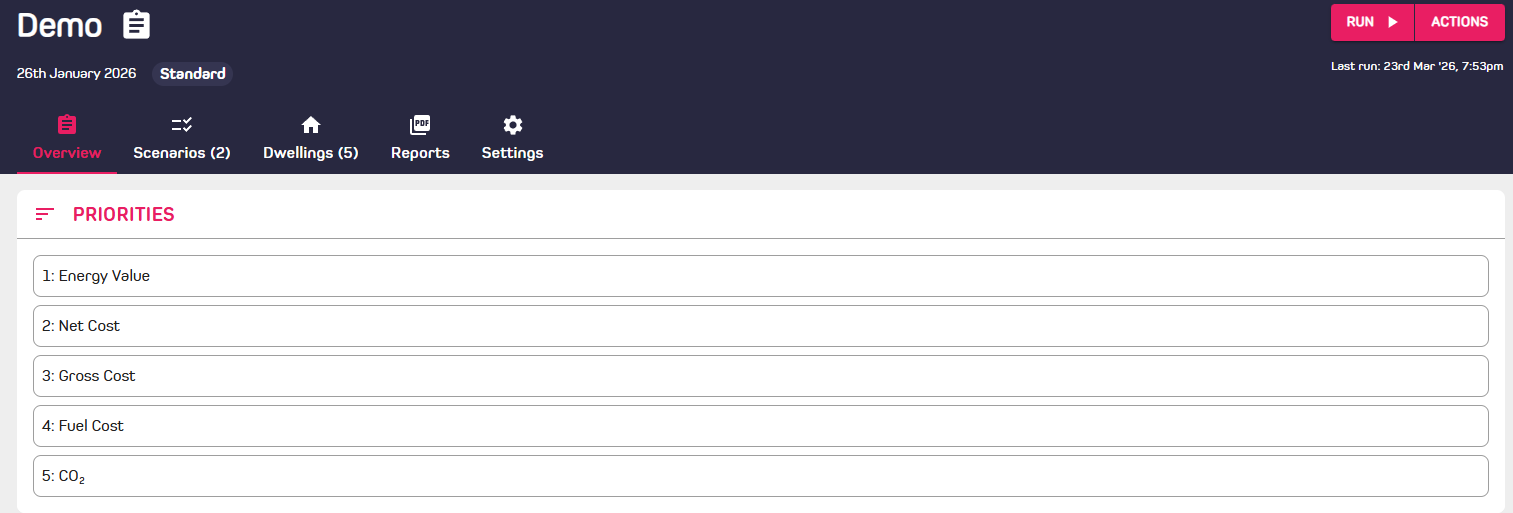
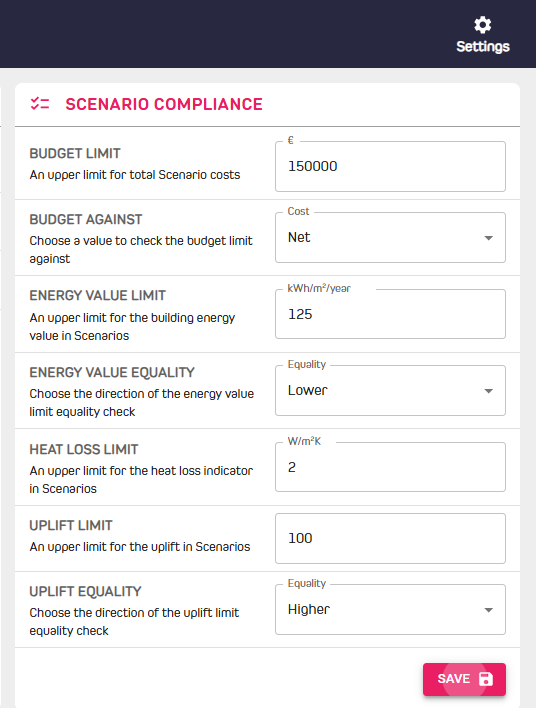
- The recommended Scenario will be chosen automatically based on the priorities ranking set in the Overview tab and constraints in the Settings tab of the Project. The default is lowest energy value (the best BER) achieved.
- The recommended Scenario shows a golden star to the right of the results table.
- This can be overwritten by clicking the star on another Scenario on the right of the results table. (Note: running the Project again will override this choice).
- The recommended Scenario is the one that will be used for HEAs and TAFs generated in the Reports tab.
Understanding how measures are applied
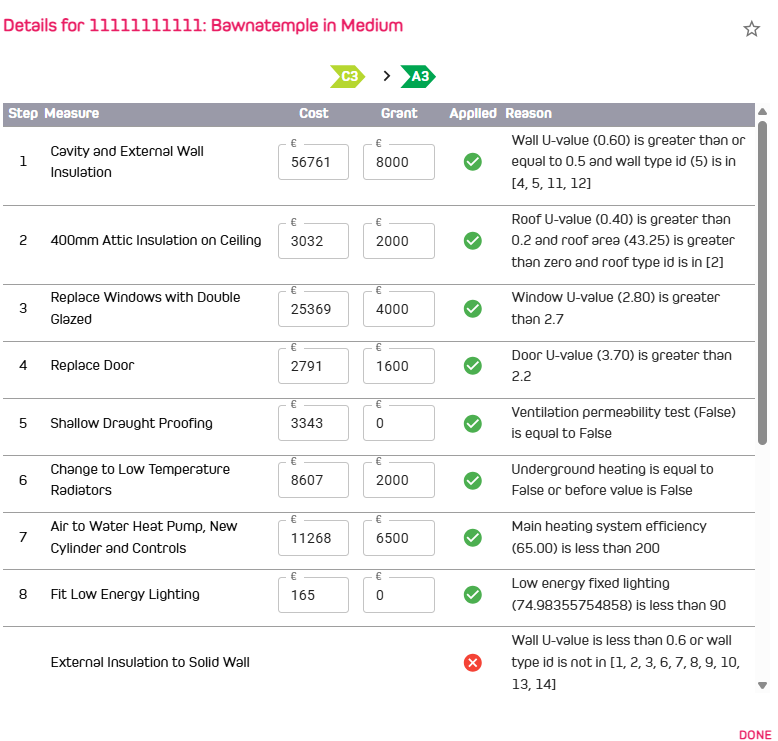
Click on "i" : details to see how each measure is applied as shown below.
Grants and costs can also be edited in the same screen.